Nouveautés

Restez au courant des dernières versions, améliorations et correctifs.

Suivre @NotionHQ

Ask your agent to suggest edits

Your agents can now propose changes instead of making them directly. Ask your agent to suggest edits, then move top to bottom to approve each one. It’s great when you need line-level changes, like a pass for grammar.

Get started by asking your agent to “suggest edits.”

Your Developer Portal, now in the sidebar

Manage your Workers, connections, and personal access tokens from the new Developer section of your Notion workspace. See an overview of deployed Workers and logs behind every run.

Developer sidebar section

Plus, the new developer bar makes it easy for anyone building with the API to find IDs for the page, database, block, workspace, or user. Copy any one of them, or the full API object, in one click.

Developer bar

Get started from SettingsDeveloperEnable developer features. Go there now →

Model selection, simplified

No more guessing which model to use.

The model picker now leads with a shortlist of models made for your hardest tasks, and every model has a scorecard to compare speed, intelligence, and cost. Pin your favorites for easy access and dial up the effort when you need a more thorough answer.

AI Meeting Notes can now trigger Custom Agents

Custom Agents can now run right after an AI Meeting Note is finished. No more need to manually update status trackers, post recaps to the project channel, or file tickets by hand.

Here’s a few of our favorite post-meeting workflows:

  • Update your project tracker with the latest status

  • Post a recap to Slack or email with decisions and next steps

  • Turn feedback into tickets for your engineering team

To get started, open your Custom Agent’s settings, add the Meeting note summarized trigger, and choose which meetings kick it off. After your next call, your agent will get to work.

High contrast mode

Accessibility win! High contrast mode is a new display option that makes text, icons, and borders easier to read.

Try it by going to Settings > Preferences > Appearance. Available on desktop and web.

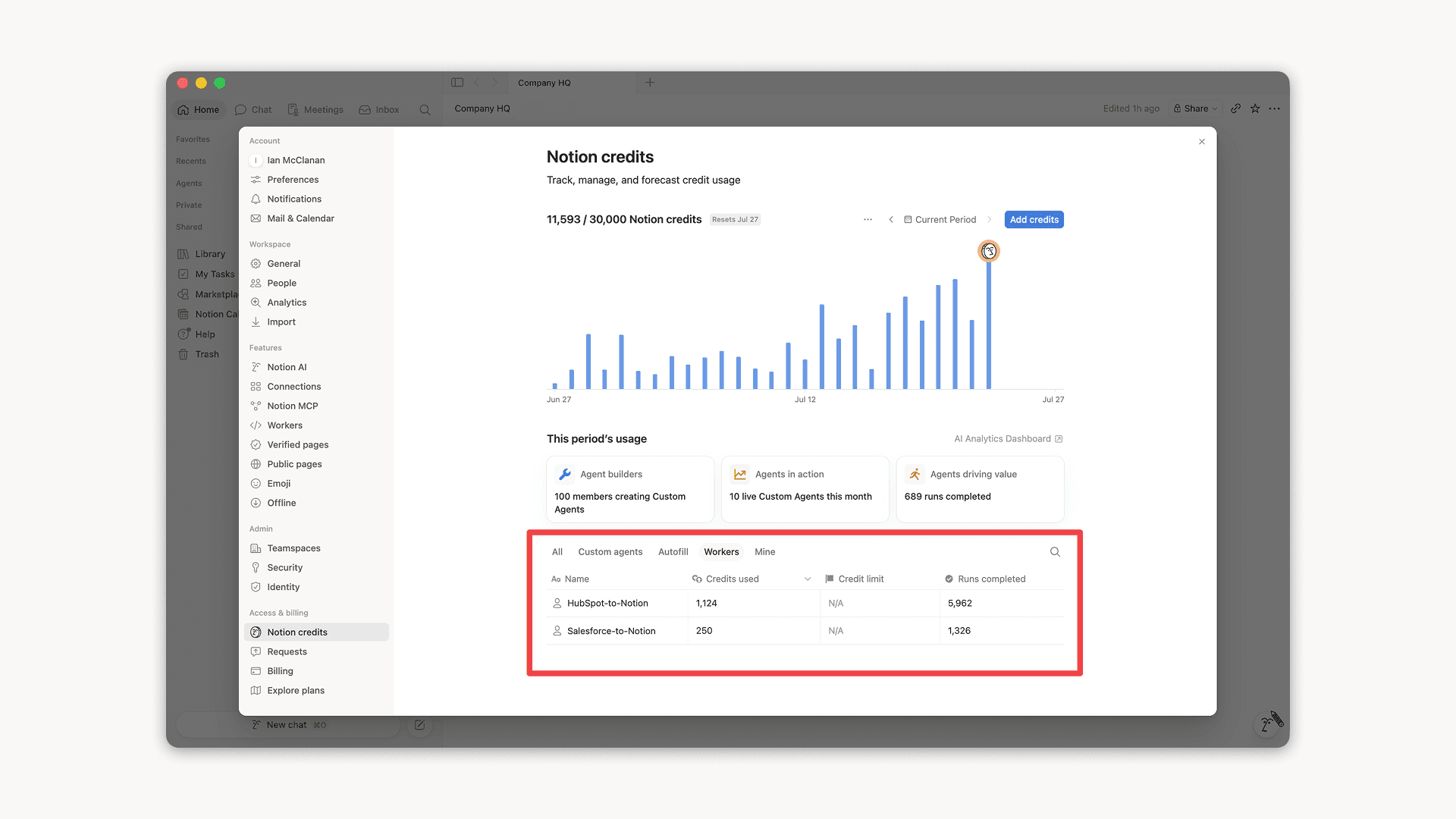
Workers, now in your Notion credits dashboard

Workers in the credits dashboard

Notion Workers run custom code on Notion's infrastructure to sync data, power tools for Custom Agents, and trigger webhook automations.

Now you can track your Workers’ usage in the credits dashboard, alongside your other spend.

Workers are free to try during the beta on Business and Enterprise plans (including Business trials). Usage is now visible in the dashboard to help your team size credits before the beta ends.

Learn more about the Notion Workers beta and pricing in our Help Center

Nouveaux outils de calendrier pour votre agent

Votre agent vient de recevoir de nouveaux outils de calendrier pour afficher et gérer votre emploi du temps. Rejoignez des appels, envoyez des invitations et trouvez des créneaux qui conviennent à tout le monde, le tout depuis la discussion.

Essayez de demander à votre agent :

  • Qu’est-ce qui est prévu dans mon emploi du temps aujourd’hui ?

  • Déplacer ma réunion avec Sandra à 13 h

  • Créer un lien d’invitation pour demain entre 14 h et 17 h

Commencez par demander à votre agent de « Connecter votre calendrier » ou accédez à ParamètresConnexions. Disponible sur ordinateur. La version mobile arrive bientôt !

Partagez les Workers de Notion au sein de votre équipe

Vous pouvez désormais partager vos Workers de Notion.

Créez et itérez sur les Workers avec votre équipe. Ou partagez-en un afin que les membres de votre équipe puissent le connecter à leurs propres agents personnalisés. Imaginez un Worker Salesforce, créé par un seul coéquipier, qui alimente désormais les agents de vos équipes de vente et de marketing.

La possibilité de se connecter et de permettre aux membres de l'équipe d'utiliser votre Worker, tandis que l'accès complet leur permet de l'améliorer ou de l'utiliser pour un nouveau problème.

Démarrez depuis le Portail des développeurs via ParamètresConnexionsAccéder au portail des développeurs, ou rendez-vous sur app.notion.com/developers.

Découvrez l’application Notion Agents pour iOS

Vos agents préférés tiennent désormais dans votre poche. Mettez-les au travail où que vous soyez.

Préparez votre prochaine réunion pendant que vous êtes encore dans l’ascenseur. Notez une idée en marchant et laissez vos agents passer à l’étape suivante avant votre retour au bureau.

Vos idées n’attendent pas le moment idéal. Laissez vos agents s’occuper du reste.

Powered by Fruition