Novidades

Acompanhe os últimos lançamentos, melhorias e correções.

Siga @NotionHQ

Ask your agent to suggest edits

Your agents can now propose changes instead of making them directly. Ask your agent to suggest edits, then move top to bottom to approve each one. It’s great when you need line-level changes, like a pass for grammar.

Get started by asking your agent to “suggest edits.”

Your Developer Portal, now in the sidebar

Manage your Workers, connections, and personal access tokens from the new Developer section of your Notion workspace. See an overview of deployed Workers and logs behind every run.

Developer sidebar section

Plus, the new developer bar makes it easy for anyone building with the API to find IDs for the page, database, block, workspace, or user. Copy any one of them, or the full API object, in one click.

Developer bar

Get started from SettingsDeveloperEnable developer features. Go there now →

Model selection, simplified

No more guessing which model to use.

The model picker now leads with a shortlist of models made for your hardest tasks, and every model has a scorecard to compare speed, intelligence, and cost. Pin your favorites for easy access and dial up the effort when you need a more thorough answer.

AI Meeting Notes can now trigger Custom Agents

Custom Agents can now run right after an AI Meeting Note is finished. No more need to manually update status trackers, post recaps to the project channel, or file tickets by hand.

Here’s a few of our favorite post-meeting workflows:

  • Update your project tracker with the latest status

  • Post a recap to Slack or email with decisions and next steps

  • Turn feedback into tickets for your engineering team

To get started, open your Custom Agent’s settings, add the Meeting note summarized trigger, and choose which meetings kick it off. After your next call, your agent will get to work.

High contrast mode

Accessibility win! High contrast mode is a new display option that makes text, icons, and borders easier to read.

Try it by going to Settings > Preferences > Appearance. Available on desktop and web.

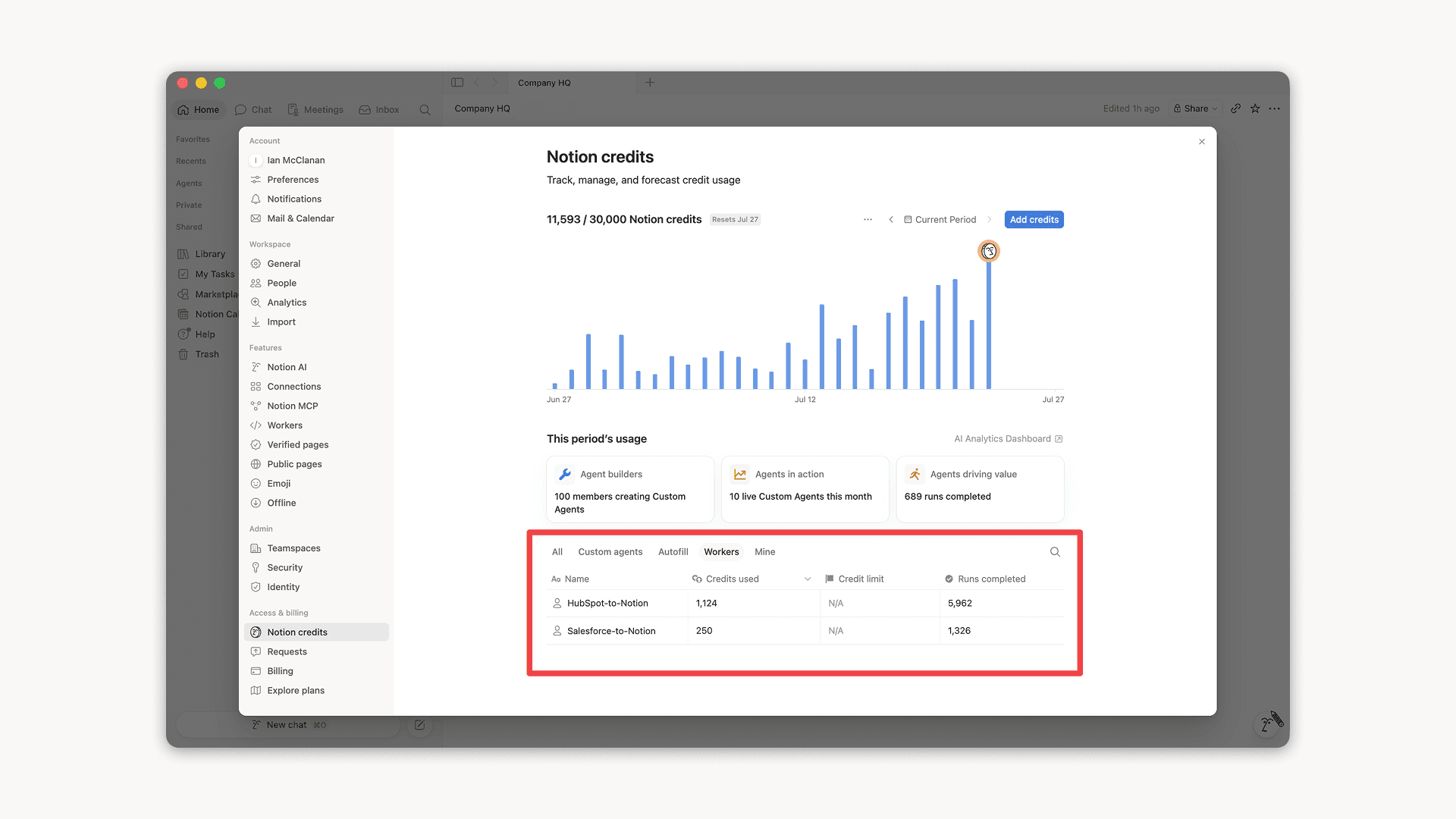
Workers, now in your Notion credits dashboard

Workers in the credits dashboard

Notion Workers run custom code on Notion's infrastructure to sync data, power tools for Custom Agents, and trigger webhook automations.

Now you can track your Workers’ usage in the credits dashboard, alongside your other spend.

Workers are free to try during the beta on Business and Enterprise plans (including Business trials). Usage is now visible in the dashboard to help your team size credits before the beta ends.

Learn more about the Notion Workers beta and pricing in our Help Center

Novas ferramentas de calendário para seu agente

Seu agente acaba de receber novas ferramentas de calendário para exibir e gerenciar sua agenda. Participe de chamadas, envie convites e encontre horários que funcionem para todo mundo— tudo isso direto no chat.

É só pedir ou perguntar ao seu agente:

  • O que tenho na agenda hoje?

  • Mude minha reunião com a Sandra para as 13h

  • Crie um link de agendamento para amanhã entre as 14h e 17h

Para começar, peça ao seu agente para “Conectar meu calendário” ou acesse ConfiguraçõesConexões. Disponível no computador. E em breve para dispositivos móveis!

Compartilhe os workers do Notion com toda a equipe

Agora você pode compartilhar os seus workers do Notion.

Crie e itere workers com a sua equipe. Se preferir, compartilhe um worker para que os colegas de equipe possam conectá-lo aos próprios Agentes Personalizados. Imagine um worker do Salesforce, criado por um único colega de equipe, agora turbinando agentes em suas equipes de vendas e marketing.

A opção Pode conectar permite que os colegas de equipe usem o worker; já a autorização de Acesso completo permite que o aprimorem ou o apliquem a um novo problema.

Para começar, acesse o Portal do Desenvolvedor em ConfiguraçõesConexõesIr para o portal do desenvolvedor ou, se preferir, acesse app.notion.com/developers.

Conheça o aplicativo Notion Agents para iOS

Seus agentes favoritos agora cabem no seu bolso. Coloque-os para trabalhar de qualquer lugar.

Prepare-se para a sua próxima reunião enquanto ainda estiver a caminho. Registre suas ideias durante uma caminhada e deixe seus agentes cuidando do restante até você voltar à mesa de trabalho.

Suas ideias não precisam esperar o momento certo. Deixe seus agentes resolverem o resto por você.

Powered by Fruition